Four Risks of Sharing Company Files over LINE: Expiration, Misdelivery, Departures, and No Audit Trail
Written in 2026/11/12"I sent the quote to you on LINE." "The contract is in the group — download it yourself." In Taiwan, this is how many companies move files every day. LINE is convenient, everyone has it, clients are on it too, so using it for company files feels perfectly natural. But LINE is a chat app, not a file management tool: four features designed for chat become, on company files, four risks. The bottom line first: keep chatting on LINE, but move your files somewhere with permissions and audit logs. This post lays out the four risks.
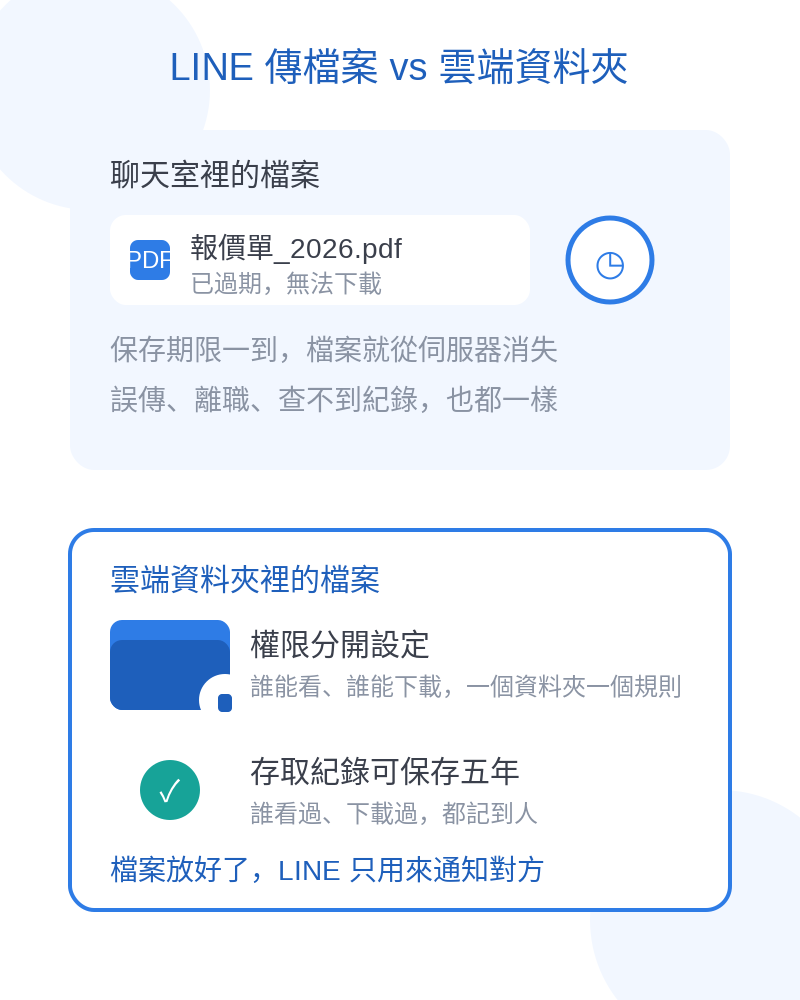
1. Expiration: the file is still in the chat, but it no longer opens. Files in LINE chats have a retention period: LINE hasn't published the exact number of days, but by user experience documents last about a week and photos and videos about two weeks to a month; past that they can't be downloaded. Expired files have been removed from LINE's servers and generally can't be recovered — you can only ask the other side to resend, assuming they still have the original. LINE's built-in Keep storage was discontinued at the end of August 2024, so there's no official long-term home anymore. Quotes, contracts and tax documents — files you'll need to pull out again in six months or a year — sitting somewhere that expires in a few weeks means leaving company files to luck. For accounting firms exchanging client documents, we covered the same problem in Bookkeepers and accounting firms: how to exchange tax and accounting files with clients securely: files must stay retrievable and findable, not just delivered.
2. Misdelivery: sent to the wrong group, and recall comes too late. LINE groups multiply — Client A, Client B, internal, vendors — with names that all look alike. A quote sent to the wrong group, fingers faster than the brain, is out in a second. LINE can unsend messages, but before you do the other side may have already viewed, downloaded or screenshotted it — recalling only wipes the display; it cannot pull back a file that already escaped. Worse, LINE has no "who can view this file" setting: everyone in the group can download and forward, so from the moment a file is sent, where it ends up is out of your hands. Client data, unpublished quotes, contract drafts — files where one wrong send is an incident — do not belong in a channel defended only by "double-check before sending".

3. Departures: the files leave with the employee's phone. A LINE account is bound to the employee's personal phone and number, not to the company. On the day they leave, the chat histories with clients and colleagues and every file they sent go with them; the company has no admin account to take over, and no way to hand those conversations and files to the next person in charge. When a client asks on LINE about a document from six months ago, the new owner has nothing at hand and has to go back to the client — or to the former colleague. We've covered what happens to files in a shared account at offboarding in An employee has left — what happens to the files in the shared account? Is changing the password enough? — LINE is more thorough still: the account itself doesn't belong to the company.
4. No records to check: the client says they never received it — what proof do you have? LINE only tells you “read”; it never tells you who downloaded which file, or when. When a client says “I never got the quote”, all you can do is scroll the chat and screenshot the read receipt. For tax documents and contracts — files that need an audit trail — a dispute becomes one word against another. Exchanging company files should leave a checkable record: who uploaded, who viewed, who downloaded, with times. CloudFiles access logs are retained for five years and recorded per person, links shared with clients can be set to view-only, and who a file passed through and who touched it are all on record. Add IP restrictions and OTP beyond the password — we covered the approach in Japanese security incidents keep mounting: is it really safe to keep company files in the office?.
To be honest: LINE isn't unusable. Scheduling a time, asking a quick question, checking whether someone's around — that's what chat apps are for, and using LINE for that is completely fine. The problem is only “using LINE as the place company files live”. And you don't have to flip everything at once: start with the most important files — live quotes, contracts, clients' tax documents — put them in a cloud folder, give the client a view-only link, and use LINE only to say “the file is up”. CloudFiles offers a free one-month trial on a flat annual fee with unlimited users: during the trial, give every colleague a dedicated account, move a copy of the files you currently send over LINE, and confirm three things yourself — expired files can still be found, the wrong person can't see them, and a departing employee can't take them away.