Year-End Is Here: Run a Company File Inventory First — Five Things to Check
Written in 2026/11/21December arrives and companies start taking stock: warehouse inventory, closing the books, next year's budget. One asset almost no company inventories at year-end — files. Who can still log in, which sharing links are still live, can backups actually be deleted, can things be traced after an incident — nobody asks these questions until an incident blows them open all at once. In early-November news, MUJI and Matsuya in Japan announced possible member-data leaks, and e-commerce platforms in Taiwan reported security alerts in succession; what breaks is often not the brand's own servers but a third-party service behind them. On 21 October Taiwan's National Cyber Security Center urged companies to firm up security fundamentals: shrink the attack surface, get backups and redundancy right — step one is inventorying external entry points and third-party services. Year-end is exactly the time: five checkpoints, one afternoon.
1. Account inventory: of the people who left or changed roles this year, have their accounts been reclaimed? Shared accounts are the easiest to miss — the person is gone, the account is still there, and everyone knows the password. The method is direct: reconcile the account list against this year's personnel changes once; disable leavers' accounts, turn shared accounts into dedicated ones, and reset every password. What happens to files when an employee leaves is something we covered in An employee has left — what happens to the files in the shared account? Is changing the password enough?: changing the password is only the first step — the account itself has to come back before the inventory counts as done.
2. Permission inventory: which folders can each account see? Over a year — staff changes, dual roles, temporary support — permissions only get added, never removed; by year-end many people can see far more than they need. Method: go folder by folder. Finance, HR and client-data folders go only to those who truly need them; those who only need to look get view-only. The rule is simple: a folder someone cannot see poses no risk; everything they can see is your responsibility.
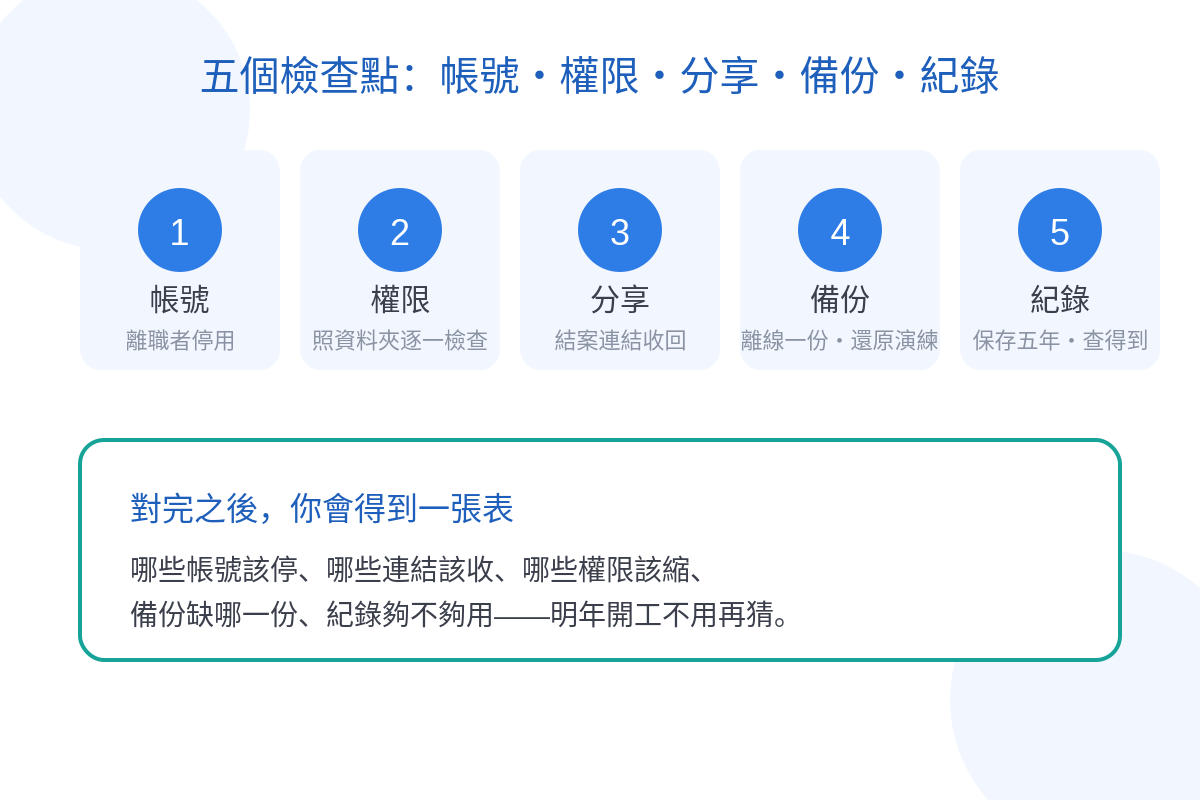
3. Sharing inventory: of the links sent out this year, which are still live? View-only links sent to clients and vendors should be reclaimed when the case closes; files sent out over LINE or email are beyond reclaiming — the moment they were sent, the copy left your hands. Method: list the external links still in effect; reclaim the closed cases, and confirm the recipients of the live ones are still the right people. The risks of sending files are something we covered in Four Risks of Sharing Company Files over LINE: Expiration, Misdelivery, Departures, and No Audit Trail: files sent through chat apps don't even leave a record of who viewed them; share links in the cloud can at least be reclaimed and checked.
4. Backup inventory: the backups are done — but can they be deleted? QNAP's 2026 Taiwan Enterprise Cyber-Resilience Survey (241 companies) found that 78% of companies already have off-site backups, but more than half of those backups stay connected around the clock, with no guarantee they won't be deleted if the highest-privilege account is stolen — in other words, of every two companies with backups, one company's backups are still exposed. Method: confirm at least one backup copy is offline or immutable, that backup accounts are separate from everyday accounts, and that you've run at least one restore drill this year. Whether a backup can be deleted is something we covered in Your backup is done — but who is allowed to delete it?: a backup's value isn't in existing — it's in still being there on the day something happens.
5. Log inventory: over the past year, who viewed which files — can you actually find out? When auditors, clients or regulators ask, "we have logs" and "we should have logs" are two different things. Method: confirm your access-log retention — CloudFiles keeps access logs for five years, recording account, time and source — then actually test it: pick an important file from this year and check whether its access log lists completely. Logs you can retrieve are the only evidence you can produce when something happens; logs you can't retrieve are as good as none.
Run through all five checkpoints and you'll have a year-end picture of your files: which accounts to disable, which links to reclaim, which permissions to tighten, which backup is missing, and whether your records are enough. Next year starts without guesswork. CloudFiles offers a free one-month trial — flat annual fee from NT$3,000, unlimited users: during the trial, actually walk the five checkpoints — disable one departed account, reclaim one closed case's link, tighten one folder's permissions, confirm one backup copy is offline, check the access logs once — then decide whether to make a full company file inventory a fixed year-end routine.